Build SWI-Prolog from source code and install it with Stow in Linux

What is SWI-Prolog
 SWI-Prolog is an implementation of the Prolog language among other implementations like:YAP,GNU Prolog and Visual Prolog.
Why Build SWI-Prolog from source
There are many reasons to build SWI-Prolog from source code to an executable rather than installing it from your repository of choice. Some of the reasons are:
- To have access to the the latest version of the software.
- The SWI-Prolog in your Linux distribution repository and other repositories does not have the packages you need.
- The docker distribution does not also have the packages you need.
- To have a lightweight build with only the packages that you need.
Install Stow in your machine
Stow is a symlink(a file that contains reference to another file or directory) manager. To install stow for Debian:
sudo apt install stow
Fedora:
sudo dnf install stow
Solus:
sudo eopkg install stow
Install Java in your machine "Optional"
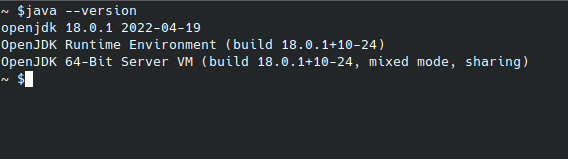
If you will need to use java with Prolog make sure it is installed in your system and set its environment variable. Run this command to check if java is install in your system:
java --version
output should be something similar like the screenshot below
Download source code from GitHub
Clone the repository or or download the zipped source
run the following command to clone the SWI-Prolog repository in the current directory
1.git clone https://github.com/SWI-Prolog/swipl-devel.git
or download and extract the zip from: SWI-Prolog main development repository After cloning the repository or extracting the downloaded zip open the "swipl-devel" directory in the terminal and run the following git command:
2.git submodule update --init
The above command initializes and updates each sub-module in the repository, including nested sub-modules if any of the sub-modules in the repository have sub-modules themselves.
Installing prerequisites for build
You can check the necessary requisites for your distribution for building SWI-Prolog from their official website in this page Getting prerequisites in the getting prerequisites section.
Building
Make a a new directory "build" inside the "swipl-devel" and move to the created directory "build", this is where the build system will be placed
Create "stow" directory in '\usr\local' if it not there already. 2.Run the following commands
cmake -DCMAKE_INSTALL_PREFIX=/usr/local/stow/swipl ..
sudo make
if you get this error after running 'sudo make' and you intend to use jpl
"-- Could NOT find JNI (missing: JAVA_AWT_LIBRARY JAVA_JVM_LIBRARY JAVA_INCLUDE_PATH JAVA_INCLUDE_PATH2 JAVA_AWT_INCLUDE_PATH) -- Could NOT find Java (missing: Java_JAVA_EXECUTABLE Java_JAVAC_EXECUTABLE Java_JAR_EXECUTABLE Java_JAVADOC_EXECUTABLE Development) "
make sure to have java installed and set its home environment variable
eg:
export JAVA_HOME="/usr/local/jdk-18.0.1/"
export PATH="$PATH:$JAVA_HOME/bin"
assuming you are using openjdk files in the local folder
if you get this error after running 'sudo make' and you intend to use jpl, "-- Could NOT find JNI (missing: JAVA_JVM_LIBRARY) "
add the following line:
set(JAVA_JVM_LIBRARY "$Java_Home/lib/server/libjvm.so")
and replace '$Java_Home' with the directory to your java root path in the 'CMakeLists.txt' file in the 'swipl-devel' directory
You can ignore the above errors if you do not intend to use jpl api cmake will just skip it, then run the following two commands:
sudo ctest -j 4
sudo make install
Install with stow
Move to the stow directory "/usr/local/stow" and run the following command:
sudo stow swipl
Now you are ready to go,to confirm that this was a success run the following command
swipl --version
the output should be something similar: 'SWI-Prolog version 8.5.10 for x86_64-linux'
